

Introduction
Have your PDF files been corrupted? Use Repairit by Wondershare. Repairit is a video repair software used to repair all types of videos and PDF files on different devices, including mobile phones, cameras, computers, etc. You can use it for free to repair corrupted PDF files of up to 200MB.

With Wondershare Repairit, you can make your corrupted PDF or videos, accessible. The software comes with an intuitive interface and is easy to use. So, even novices can use this to repair their PDF files in no time. It has Advanced Repair features that help in restoring even the most severely damaged files. Repairit can repair PDF files even if they are broken.
Reasons behind the Corruption of PDF Files
A PDF file can be corrupt due to many reasons. Check them out below.
1. Error During Download

If you don’t have a secure connection to the internet when you import the PDF files, they can get damaged or corrupted. It is due to the download interruption caused by another download that runs simultaneously.
2. Incompatible Software
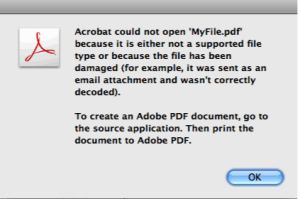
If you are using incompatible software to create your PDF files, they might be modified, thus leading to corruption. Hence, it is important that you use the right software.
3. Storage Issues
Storage difficulty can also cause a PDF file to be corrupt. If you store the PDF file in an infected storage device, the document might develop some issues.
4. Hard Disk Issues
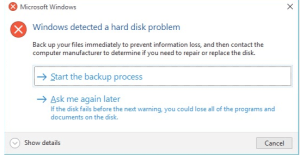
Crashing hard disks is quite common. Even with a minor crash, you can lose some data. The PDF file becomes corrupted if the lost data is a part of it. It is possible to lose the file entirely. Hard disk failures can be due to system errors, fading or missing sectors, or unstable power supply. So, before you create your PDF file, make sure that the disk isn’t risky.
5. Virus Attacks

Malware and virus attack the files present in a computer. They overwrite or modify it. In case your PDF file gets infected, it will become corrupt. Hence, you should use antivirus for your system.
Common Ways to Repair PDF Files
Whenever a file gets corrupted, don’t file. Try out some basic file repair troubleshoots. You can
- Download or copy the PDF files from the source.
- Restore it from backup.
- Restore it from the previous version.
In case none of these above techniques work, don’t worry. Here are two effective methods that will help repair files.
- Try Using Other PDF Reader Utilities
If you are facing troubles with your files or video, before you search for a file or video repair tool, check two things. Firstly, check if the problem is with the PDF file or the reader. To find out the issue, you can use another PDF reader or a video player tool.
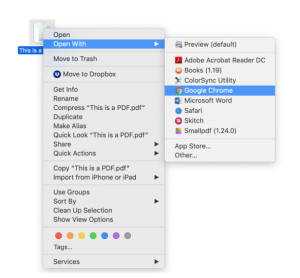
There are many tools available over the internet. Choose a compatible one and open your file using it. If the file doesn’t open, you might have to repair damaged PDF.
2. Restore the Previous Version of the File
If you are using Windows 10, you can use the built-in backup tool for restoring the last version of the corrupt PDF file.
- Go to Update and Security by pressing the Windows button on the keyboard.
- Restore the backup and get access to the PDF files.
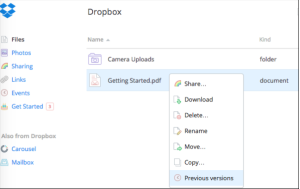
If you haven’t taken the backup, you can try the File History option to restore the file’s previous version.
How to Repair Your PDF Files Using Repairit?
Repairit is a powerful tool that can be used to repair damaged and corrupted PDF files. Also, Repairit video repair is an effective tool that you can use to repair video and photos on Mac and Windows. With the help of this software, anyone will be able to repair damaged files. To repair PDF files using Repairit, follow a few simple steps.
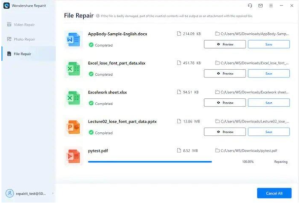
- Launch Wondershare Repairit on your computer by clicking on the respective icon.
- Go over to the ‘File Repair’ section present on the side and then click on ‘Add’. It opens a browser window and takes you to the file location.
- Choose one or multiple documents and load them on Repairit. Once the tool loads the document, click on the ‘Repairit’ option to start the repairing process.
- When the repairing process is complete, click on ‘Preview’ to preview the file before saving it. Click on the ‘Save’ button to save the repaired file.
Closing Words
Wondershare Repairit can repair all types of corrupted files or videos. The simplicity of the tool makes it the preferred choice of many. With just a few easy steps, you can repair your PDF file. It is a free online service. So, your search for repairing software ends here. Install and start using.